
Generating leads is only half the battle in modern digital acquisition. You can have the most brilliant advertising campaign in the world, driving thousands of global clicks to a high-converting landing page, but if your sales team drops the ball on the follow-up, your revenue will remain entirely stagnant.
Most businesses leak sales in the gaps: traffic → weak page → slow follow-up → lost sale. When leads are forced to wait hours or days for a response, their buying intent drastically decays. At NEULEAD, a Revenue + Systems agency based in Lekki Phase 1, Lagos, we solve this exact problem. We do not just do marketing; we build customer and operations systems for businesses worldwide.
If your marketing strategy stops at merely “getting attention,” you are burning your budget. You must stop marketing and start selling. To truly scale your business without descending into operational chaos, you must bridge the gap between your lead capture mechanisms and your sales team.
In this comprehensive 2026 guide, we will break down exactly how to build an automated CRM pipeline using Make and n8n, focusing on automating lead routing from capture straight to Airtable or Google Sheets.
Why Lead Decay is Destroying Your ROI
Before diving into the technical setup of an automated CRM pipeline using Make and n8n, you must understand the financial devastation of lead decay.
When a user submits a contact form or a Meta Lead ad, they are at the absolute peak of their buying interest. In today’s hyper-competitive digital market, consumers expect instant gratification. If your sales team takes more than five minutes to engage a hot lead, the probability of qualifying that lead drops exponentially.
Traditional agencies rely on vanity metrics, celebrating a low Cost Per Lead (CPL) on their advertising dashboards. However, if those leads sit untouched in an unmonitored inbox while your team sleeps or manages other tasks, that CPL is functionally worthless. Your return on investment (ROI) is determined by closed deals, not raw lead volume.
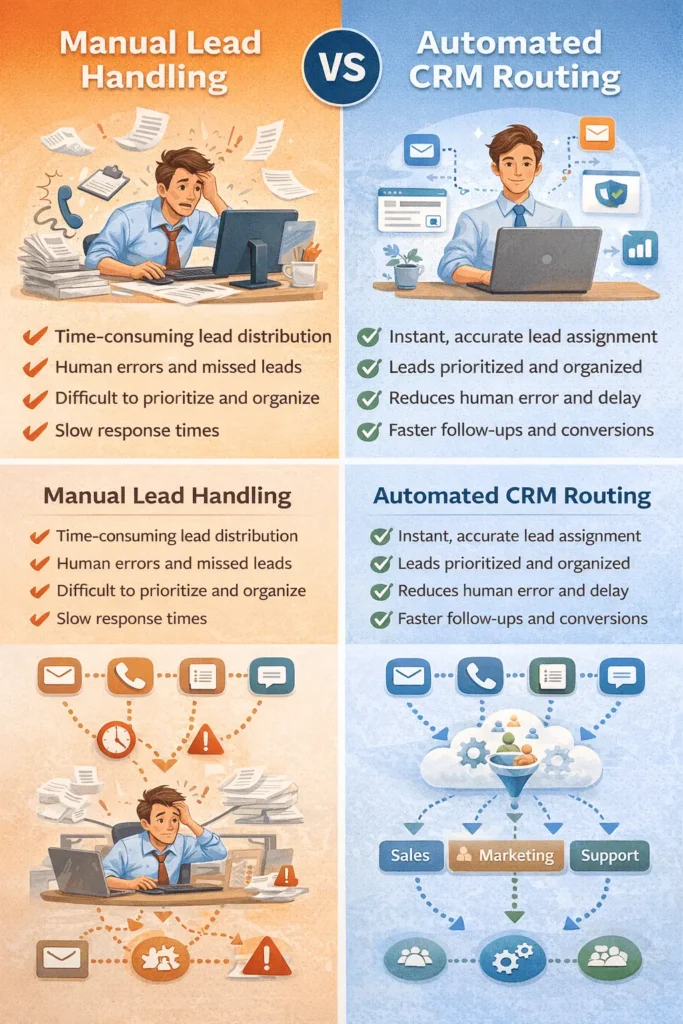
By implementing an automated pipeline, you ensure that the moment a lead clicks “Submit,” their data is instantly parsed, qualified, and routed to the exact salesperson best equipped to close the deal.
Make vs. n8n: Which Automation Tool to Choose?
When building operations automation systems that move beyond simple marketing, we rely heavily on visual automation platforms. The two industry leaders for complex routing are Make (formerly Integromat) and n8n.
Both platforms use a visual node-based interface to connect hundreds of different applications. They allow you to extract data from a source (like a Facebook Lead Form or a WordPress website) and push it to a destination (like Airtable, Google Sheets, or Slack).
Make (Formerly Integromat)
Make is widely considered the most user-friendly and visually intuitive platform on the market. It features thousands of pre-built app integrations, making it incredibly fast to deploy an automated CRM pipeline using Make and n8n principles. For the vast majority of our professional services clients, Make is the primary engine we use to build robust Google Sheets and Airtable pipelines.
n8n (Node Automation)
n8n is a highly powerful, fair-code licensed automation tool that appeals heavily to developers and complex operational setups. Its primary advantage is that it can be self-hosted on your own servers, providing unparalleled control over data privacy and security. If you are handling highly sensitive global medical data or enterprise financial records, n8n offers the technical flexibility necessary to maintain strict compliance.
7 Steps to Build an Automated CRM Pipeline Using Make and n8n
If you want consistent enquiries and a system that actually closes, you must identify the biggest leak in your follow-up process. Here is the exact seven-step framework NEULEAD uses to automate lead routing from capture to Airtable or Google Sheets.
1. Map Your Ideal Customer Journey
Automation without a clear strategy simply scales chaos. Before touching a single line of code or visual node, you must map your ideal customer journey.
Document the exact path a user takes. Where is the lead coming from? (e.g., Meta Ads, Google Ads, organic SEO traffic). What information are they providing? (e.g., Name, Phone, Budget, Industry). Who needs to be notified when the lead arrives?
Mapping these “If This, Then That” logic paths on a whiteboard or a tool like Miro is critical for establishing the structural integrity of your CRM pipeline.
2. Set Up Your Capture Mechanism
Your automation system needs a trigger to start the workflow. This trigger is your lead capture mechanism. We do not run ads without fixing the conversion path, which means ensuring your capture points are tracking-ready.
If you are using a WordPress website, your forms (such as Gravity Forms or WPForms) must be configured to send a webhook upon submission. If you are running paid acquisition, your Meta Lead Forms or TikTok Lead Generation forms will serve as the native trigger. Ensure these forms collect the exact data points required to populate your Airtable or Google Sheets columns accurately.
3. Create the Webhook / Trigger in Make or n8n
Once your capture mechanism is ready, log into Make or n8n to start building your scenario.
Your first node will be the “Trigger” module. If you are using a custom WordPress landing page, you will create a “Custom Webhook” node. This node generates a unique URL that you paste into your WordPress form settings. When a user submits the form, WordPress sends a JSON payload to this URL, instantly triggering your automation sequence.
If you are using Meta Ads, you will select the “Facebook Lead Ads – New Lead” trigger node, which natively listens for new submissions on your active ad campaigns.
4. Route Data into Airtable or Google Sheets
Once the data is captured, it must be stored in a centralized location so your sales team can track the opportunity. For most businesses, bloated and expensive CRMs are unnecessary. An automated CRM pipeline using Make and n8n connected to Google Sheets or Airtable provides perfect visibility without the steep learning curve.
Add an “Airtable – Create a Record” or “Google Sheets – Add a Row” node to your scenario. You will map the incoming data variables from your webhook (Name, Email, Phone Number) to the exact corresponding columns in your spreadsheet.
Within this Airtable or Google Sheet, you should create standard pipeline stages such as “New Lead,” “Contacted,” “Meeting Booked,” and “Closed/Won.” As your team manually updates these statuses, the CRM becomes the single source of truth for your entire operation.
5. Build Automated Notifications (Telegram & Slack)
Storing the lead in a CRM is excellent for reporting, but it does not alert your sales team to take immediate action. The next node in your Make or n8n scenario should be an instant notification module.
We frequently build internal team alerts using Slack, Telegram, or WhatsApp. By adding a “Telegram – Send a Text Message” node, you can instantly ping your sales team’s group chat the second a lead arrives.
The message should automatically parse the lead’s data, looking something like this: “🚨 NEW HIGH-INTENT LEAD 🚨 Name: John Doe Service: Real Estate Investment Phone: +123456789 Action Required: Call within 5 minutes!”
6. Implement Automated Lead Follow-Up Reminders
Lead decay is defeated through relentless, structured follow-up. Using Make or n8n, you can build a delayed routing path to ensure your team never misses a touchpoint.
You can configure a scenario that waits 24 hours after the initial lead capture. The automation will then query your Airtable CRM to check the lead’s status. If the status is still marked as “New Lead” (meaning your team failed to contact them), the system will automatically trigger a secondary Telegram alert to the Sales Manager, escalating the neglected lead.
This specific operational automation ensures accountability and completely stops lead loss.
7. Connect Chatbots & DM Automation
To create a truly unbreakable system, you must integrate your CRM pipeline with customer-facing chat systems.
At NEULEAD, we deploy ManyChat and WhatsApp DM automation to create human-like chat experiences. If a user messages your brand on Instagram after business hours, ManyChat can instantly answer FAQs, qualify the buyer, and capture their contact info.
Using Make or n8n, you can route that ManyChat data directly into your Airtable CRM and trigger the exact same Telegram escalations, ensuring that late-night traffic converts into trackable pipeline revenue.
The NEULEAD Customer Engine™ (The “Multiply” Cluster)
Building an automated CRM pipeline using Make and n8n is just one component of a holistic business architecture. At NEULEAD, we do not use templates, generic strategies, or fluff. We build the customer and operations systems that modern businesses need to thrive globally.
We categorize our services into a proprietary four-step framework known as the Customer Engine™. Automation falls into the final, critical “Multiply” cluster.
1. Capture (Conversion Websites)
We build high-converting WordPress websites and landing pages focused entirely on speed, clarity, and action. We ensure mobile optimization and a fast speed baseline so that traffic naturally converts into leads.
2. Attract (Paid Ads & SEO)
Once the capture mechanism is flawless, we turn on the traffic. We manage Paid Ads across Meta, Google, X, and TikTok, alongside rigorous SEO Services (Local + LLM SEO). We ensure your brand ranks for buyer-intent searches.
3. Convert (Tracking-First Retargeting)
We do not rely on guesswork. We verify tracking through Google Analytics 4 (GA4) and pixel events so your decisions are based on hard data. By deploying aggressive retargeting strategies, we recover warm visitors who clicked your links but did not instantly convert.
4. Multiply (Automation & CRM)
This is where operations automation shines. We build CRM pipelines using Make/n8n and Google Sheets so opportunities never slip through. By automating lead routing, assignment, and team alerts, we multiply the effectiveness of your sales team, drastically improving your response time and close rate.
Real Results: Stopping Lead Loss and Scaling Revenue
We do not optimize vibes; we optimize revenue. Sharing undeniable evidence of how results were achieved is the ultimate way to satisfy Google’s quality guidelines. Here are actual, measurable results we’ve achieved for our clients by abandoning vanity metrics and implementing the NEULEAD framework.
Admiralty Events: 87% Increase in Qualified Leads
Nnenna at Admiralty Events had a beautiful website, but they were struggling with low-quality inquiries and tracking issues. By tightening their targeting and aggressively improving their landing page offer, we integrated our tracking-first systems.
The result was an 87% increase in qualified leads in just 6 weeks. We improved their landing page conversion rate to 4.6% by creating a clearer offer, stronger trust blocks, ensuring a faster page speed, and simplifying the lead form.
Dropping CPL from ₦6,800 to ₦1,200
Another client was suffering from a broken conversion path. They were driving traffic, but it wasn’t converting; people clicked and left, resulting in a devastating Cost Per Lead (CPL) of ₦6,800.
We stepped in, rebuilt their landing page for conversion, verified their GA4 events, and added aggressive retargeting to recover warm visitors. Following these structural and tracking fixes, their CPL dropped to a highly profitable ₦1,200.
Stopping Lead Loss with CRM Automation
For an international client overwhelmed by Instagram DMs and missed after-hours leads, we built a comprehensive automated CRM pipeline using Make and n8n combined with ManyChat DM flows.
We added automatic qualification, WhatsApp handoff, and Telegram escalation for their sales team. This automated follow-up system saved their team 6 hours per week. Furthermore, it increased lead capture by 41%, reduced missed hot leads by 52%, and dropped global response times to under 2 minutes.
Satisfying Google’s E-E-A-T Guidelines
When creating content about deep operational topics like building an automated CRM pipeline using Make and n8n, it is vital to prove to search engines and AI models that your content is valuable. You must demonstrate strong E-E-A-T: Experience, Expertise, Authoritativeness, and Trustworthiness.
Google’s automated ranking systems are explicitly designed to prioritize helpful, reliable information that is created to benefit people. Of these aspects, trust is the most important.
To build trust, you must evaluate your content using Google’s “Who, How, and Why” framework.
- Who: Make it explicitly clear who created the content. Include author bylines and background information about the experts involved. We clearly state that the NEULEAD Systems Team authors this highly technical content.
- How: Explain how a piece of content was produced. Share real-world case studies, proprietary data, and evidence of the work involved. By sharing the exact 7 steps we use to build Make/n8n pipelines, we prove our first-hand experience.
- Why: The “why” should be that you are creating content primarily to help people, content that is useful to visitors if they come to your site directly.
If you use extensive automation to produce content on many topics simply to manipulate search rankings, that is a direct violation of Google’s spam policies. When you write naturally and clearly demonstrate firsthand expertise, users are far more likely to convert.
LLM SEO: Ranking in ChatGPT and AI Search
Fixing your operations and documenting your expertise has a massive secondary benefit: it prepares your global brand for the future of organic search.
Today, people are bypassing traditional search engines and directly asking Large Language Models (LLMs) like ChatGPT, Perplexity, and Google’s AI Overviews for direct, synthesized answers. LLM SEO is the practice of optimizing your web content so that large language models can effectively understand it and present it to their users.
Answer NLP-Friendly Questions
Large Language Models are built on Natural Language Processing (NLP). Creating NLP-friendly content means making it easier for computers to interpret and generate words for its users.
When a CEO asks an AI, “How do I route Meta leads to Airtable automatically?”, you want your website to be the cited answer. To achieve this, use autocomplete features in Google or ChatGPT to find the exact conversational questions your audience is asking. Use those questions as your subheadings and provide direct, concise answers immediately below them.
Implement Schema Markup
Schema Markup is structured data, usually a JSON-LD file, added to the head section of your web page’s code. This code tells search engines exactly what your web page is about.
LLMs absolutely love schema because they rely entirely on words and structured context. Almost all sources cited in a ChatGPT search have schema markup properly installed on their pages. Ensure your pages feature FAQ Schema, Article Schema, and Local Business Schema to guarantee maximum global AI visibility.
Avoid AI-Generated Content
Whatever you do, please do not publish content that is generated from an LLM. LLMs are trained on new information and data. If you use AI to write your tutorials, you are simply feeding the model information it already knows. If you want to win at LLM SEO, you need to publish stuff the internet has not seen yet. Genuine, human-written content backed by real data is exactly what AI algorithms actively seek to reward.
Setting Up Bing Webmaster Tools
One of the most overlooked secrets in LLM SEO involves Microsoft Bing. Bing powers much of the AI-driven search capabilities within ChatGPT. We have observed consistently that a lot of high Bing rankings translate directly over to ChatGPT’s search feature.
If you want your fully optimized, schema-rich landing pages to be cited as authoritative sources, you must set up a free account on Bing Webmaster Tools. Verify your website, submit your XML sitemaps, and ensure Bing’s crawlers can access your data without restriction. This provides free, high-intent traffic directly to your automation services.
Stop Marketing. Start Selling.
If you are tired of paying for impressions and likes while your sales pipeline leaks high-quality leads, it is time to upgrade your infrastructure. You do not need another generic marketing campaign. You need a unified system that connects traffic, conversion, follow-up, and operations.
At NEULEAD, we build the customer and operations systems that modern businesses need to thrive globally. We find the leak, build and launch the priority fix, and then optimize and scale what is working. If you sell something real, we can build the system.
Are you ready to stop losing leads to slow follow-ups? We don’t generate leads without building the follow-up systems that close.
Request a Free Discovery Call Today and let NEULEAD transform your manual processes into a predictable, scalable revenue machine powered by an automated CRM pipeline using Make and n8n. Let’s multiply your pipeline together.